
The right cycle
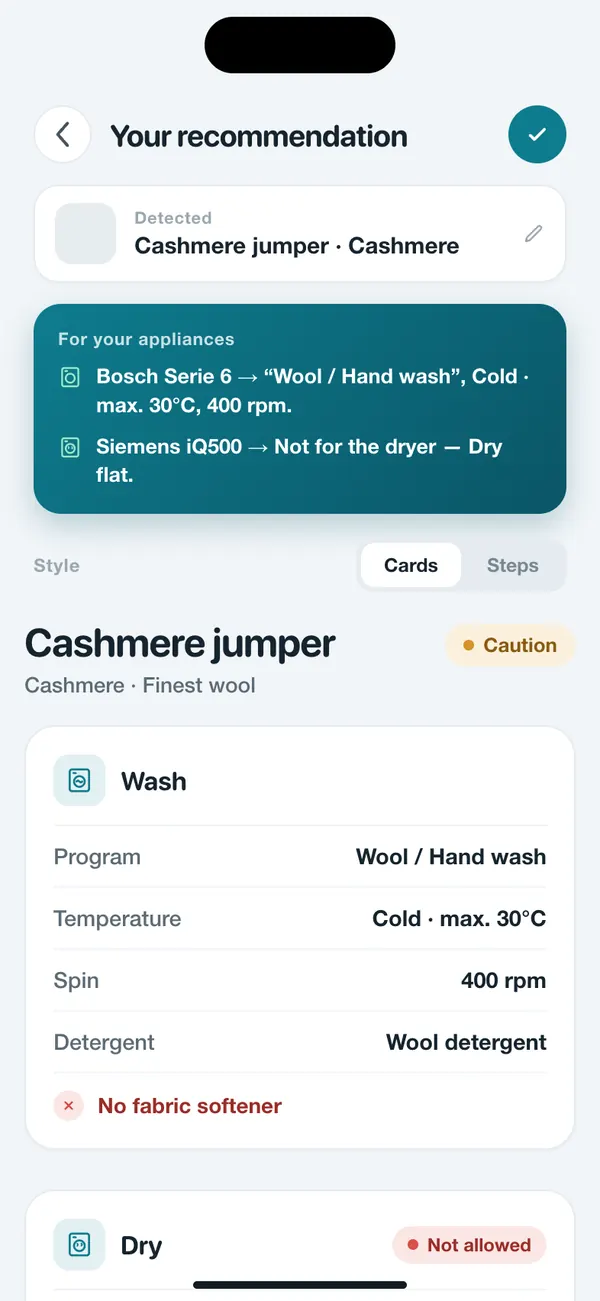
WashGuard shows you the right washing cycle, even named exactly as it appears on your own machine.
Bosch Serie 6Wool / Hand wash
Take a photo of your clothes or your entire laundry load. WashGuard instantly shows you how to wash it: cycle, temperature, spin, detergent, dryer, and what can go in together.


Try it free for 3 days. Then a monthly or yearly subscription.
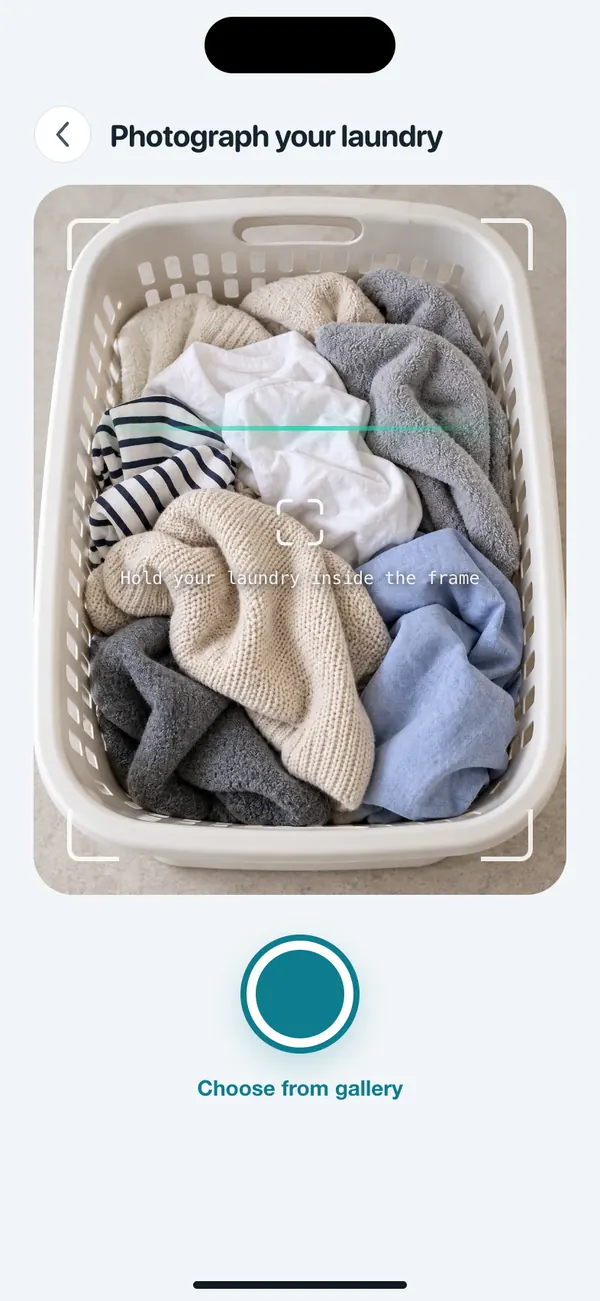


The sweater comes out a size smaller, the white shirt turns pink, and the care label has faded or was cut off long ago. The same questions come up before every load:
Your machine has plenty of cycles, and most of us still pick the same one every time.
Too hot and it shrinks, too cold and it won't get clean.
Regular detergent on wool or fabric softener on sportswear can damage fibers for good.
One wrong call, and it never fits again.
New jeans with a white tee, and the whole load comes out dyed.
You don't need to memorize care symbols. All you need is a photo.
Laundry guides on the blog →No symbol glossary, no guessing which cycle to choose. Three steps, and you know what to do.
A single garment, its care label or a whole pile: point your camera at it, or pick a photo from your library.
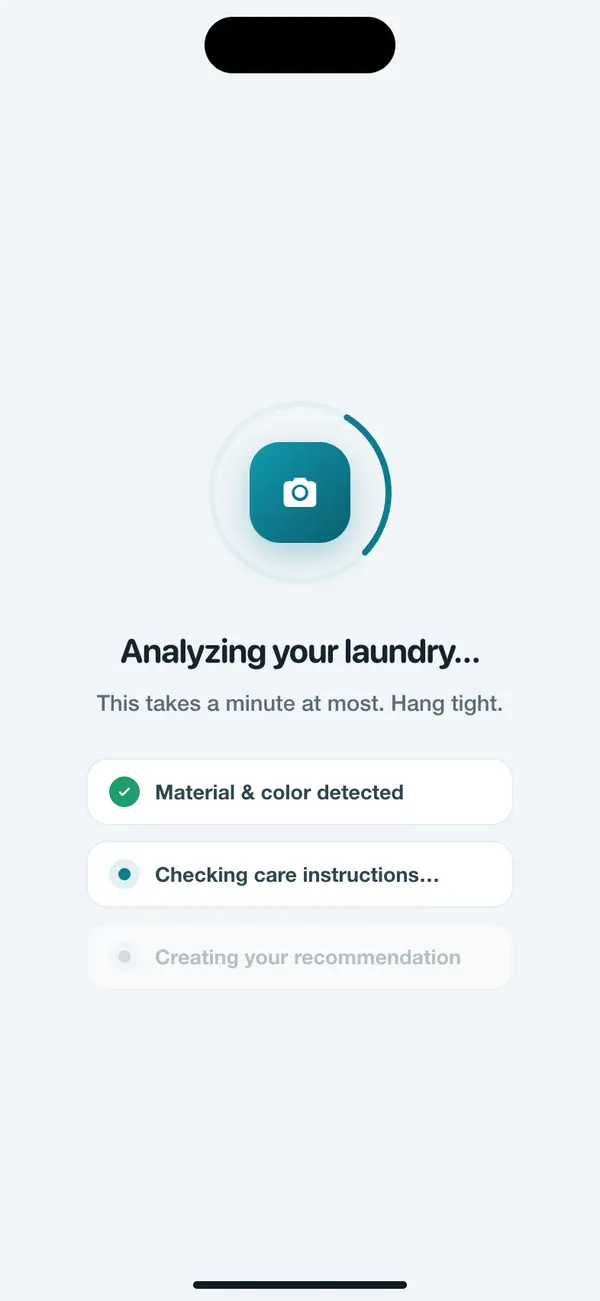
The app detects fabric and color and checks the care instructions. It takes a minute at most.
You get the cycle, temperature, spin speed, detergent and whether it can go in the dryer, named just like on your machine if you like.
Try it free for 3 days. Then a monthly or yearly subscription.
One photo, and WashGuard answers every question before you press Start, matched to your laundry.
WashGuard shows you the right washing cycle, even named exactly as it appears on your own machine.
See how warm and how fast your laundry can take it, so nothing shrinks or stretches out.
See which detergent suits the load, and whether you already have it at home.
See right away whether a piece can go in the dryer, on which setting, or whether it's better dried flat.
Snap several items, and WashGuard splits them into loads that can share a wash.
A traffic light shows at a glance how delicate a piece is, and notes like “No fabric softener” protect wool, silk and sportswear.
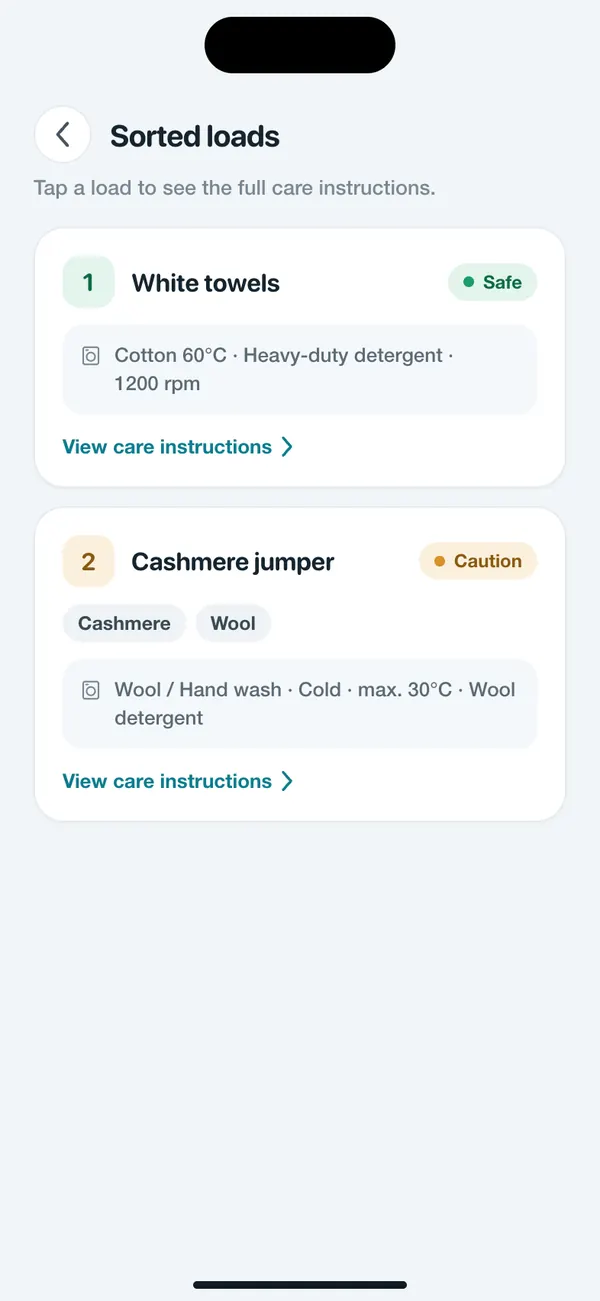
Snap a whole pile of laundry. WashGuard splits it into safe loads and flags what needs to stay apart, with care notes for every load.
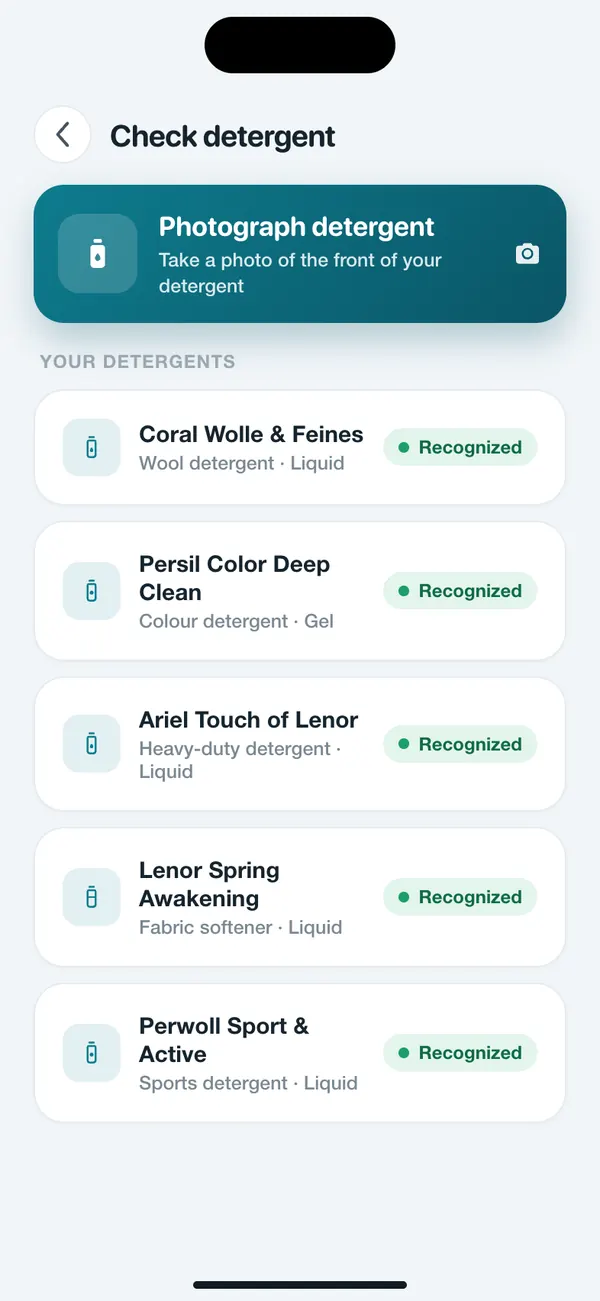
The more WashGuard knows about your home, the more precise the recommendation gets.

Date, class, work or training: your clothes come along everywhere. One photo before washing, and they stay just the way you like them.
The white shirt stays white, because WashGuard shows you what can go in the machine together and what needs to stay apart.
Hoodie, jeans, favorite tee: one photo shows you the right cycle and the right temperature, no guesswork.
For shirts and blouses you see the cycle, spin speed and whether they can go in the dryer.
For sportswear, WashGuard shows you the right detergent and tells you when fabric softener is off-limits.
Your Sunday wool sweater keeps its shape. WashGuard tells you when it can't go in the dryer and is better dried flat.
Snap your washing machine once, and WashGuard shows you both the cycles it really has.
And if something can't be identified clearly, WashGuard picks the gentle option instead of guessing.
Anything else? Write to us via the contact form. And if you want to read care symbols yourself: laundry guides on the blog.
You take a photo of your clothes, their care label or your whole load. The app detects fabric, color and care instructions and shows you clear recommendations for cycle, temperature, spin, detergent and drying.
No. If the care label is in the photo, the recommendation follows it. If it's unreadable or missing, WashGuard picks the safe default (max. 30 °C, wash separately, no dryer) and tells you so openly.
Yes. With “Can these go in together?” you photograph several items, and WashGuard splits them into loads that can be washed together. Whatever needs to stay apart is flagged.
Yes. Photograph your washing machine and dryer once, and WashGuard recognizes their cycles and recommends the ones your appliances actually have. You don't need a smart appliance for this. Without saved appliances you get general recommendations.
You can try WashGuard free for 3 days. After that, WashGuard Plus runs as a monthly or yearly subscription that you take out directly in the app. You see the price for your country in the app beforehand, and you can cancel at any time in the subscription settings of your App Store or Google Play.
Your photos are only processed to create your recommendation. For image recognition they are only sent to our AI service provider with your consent, and you can withdraw that consent in the app at any time. We never sell data. All details are in the privacy policy.
Yes, on the App Store and on Google Play.
Get WashGuard on your phone and see right away how to wash your next load the right way. For iPhone and Android, in 45 languages.
Try it free for 3 days. Then a monthly or yearly subscription.